Where to start
Pick a guide and dive in
Cashflow is a check register and account ledger for your phone. It tracks what you have, what has cleared the bank, and what you expect to have once everything posts. These guides walk you from a fresh install to a working register — and through the features you'll use most.
New to Cashflow? Start with Getting Started to install the app, create your first account, log a transaction, and reconcile against your bank statement in about five minutes. From there, set up scheduled transactions for recurring bills and paychecks, and configure backups so a lost or replaced phone doesn't take your data with it.
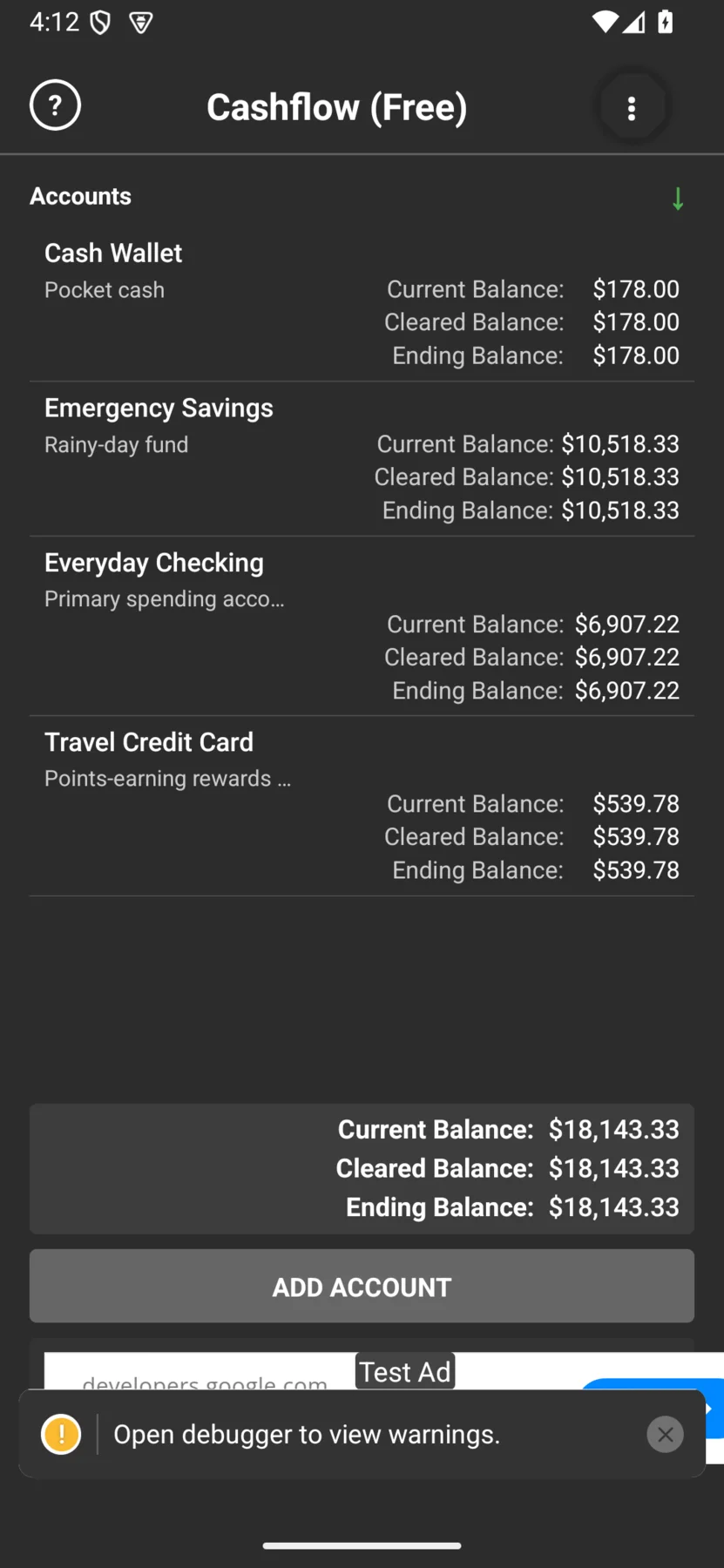
Three balances, to the cent
Every account in Cashflow shows three balances — because the answer to "do I have enough money?" depends on which one you mean:
- Current — what you have right now, including everything entered up to today.
- Cleared — only the transactions you've marked as cleared. Matches your bank's posted balance once you're caught up.
- Ending — your current balance plus every future-dated transaction.
Cashflow does not link to your bank, so there's no account creation, no sign-in, and no setup wizard. When you open the app for the first time, you go straight to the register.