Home screen widget
Add the Android widget to see your account balances at a glance. Tap it and you land directly in your register. Choose which account and balance types appear in settings.
What Cashflow does
A short tour of the things Cashflow gets right. None of this is novel — it's multiple accounts, three balance types, scheduled bills, and backups you can actually trust. Quiet software for keeping your money straight.
The register
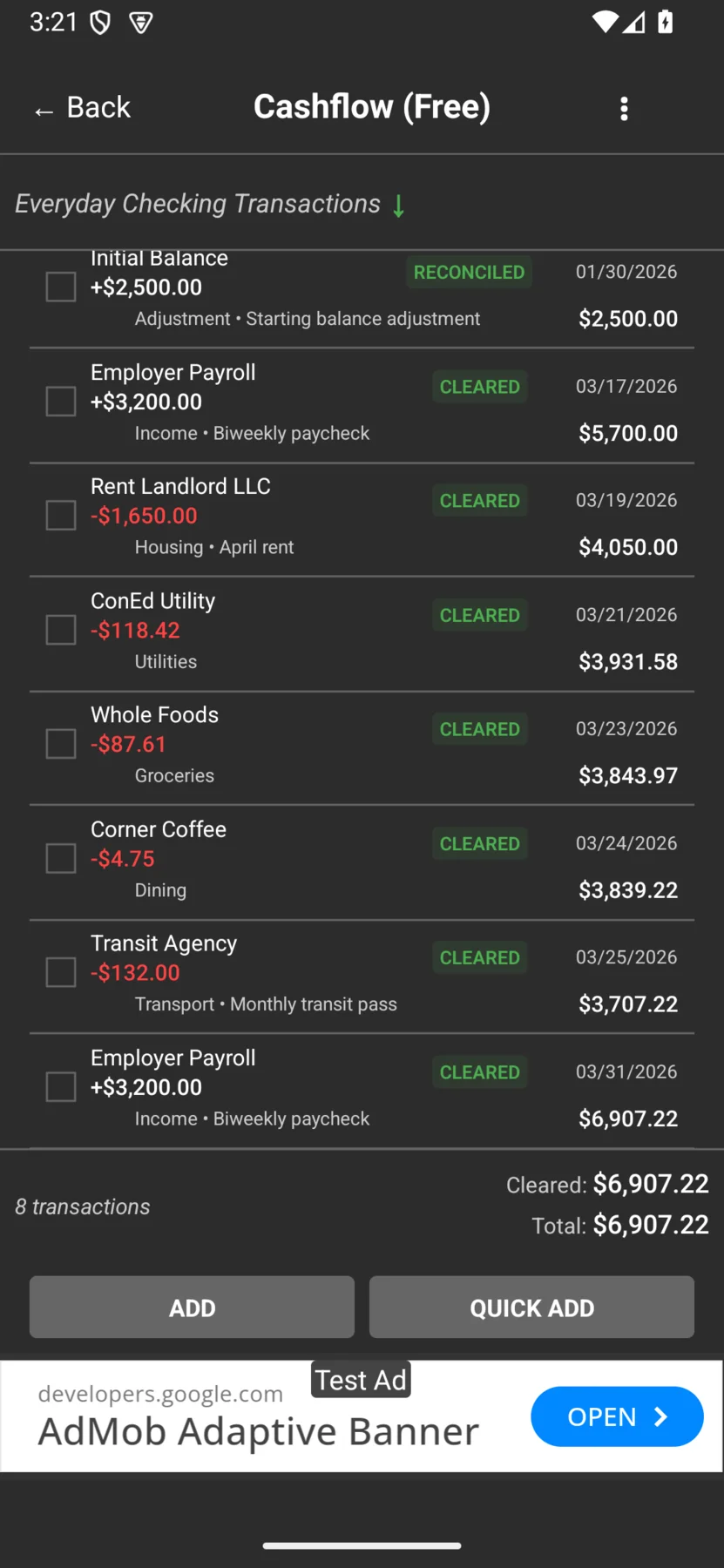
Every transaction carries its running balance the moment it posts. The list scrolls fast, search finds what you remember, and the figures stay exact — 5,700.00 → 4,050.00 → 3,931.58 → 3,843.97 → 3,839.22, to the cent.
Everything you've entered.
What your bank has confirmed.
Where you'll land once pending items post.
Three balances, to the cent
Cashflow tracks three balances on every account so you always know where you truly stand. Here's how it reads on a real ledger.
Everything you've entered — your live position. Everyday Checking sits at $6,907.22.
Only what the bank has confirmed. The register footer reports Cleared / Total at $6,907.22 once everything has posted.
Where you'll land once pending items clear. Across accounts the roll-up totals $18,143.33.
Accounts
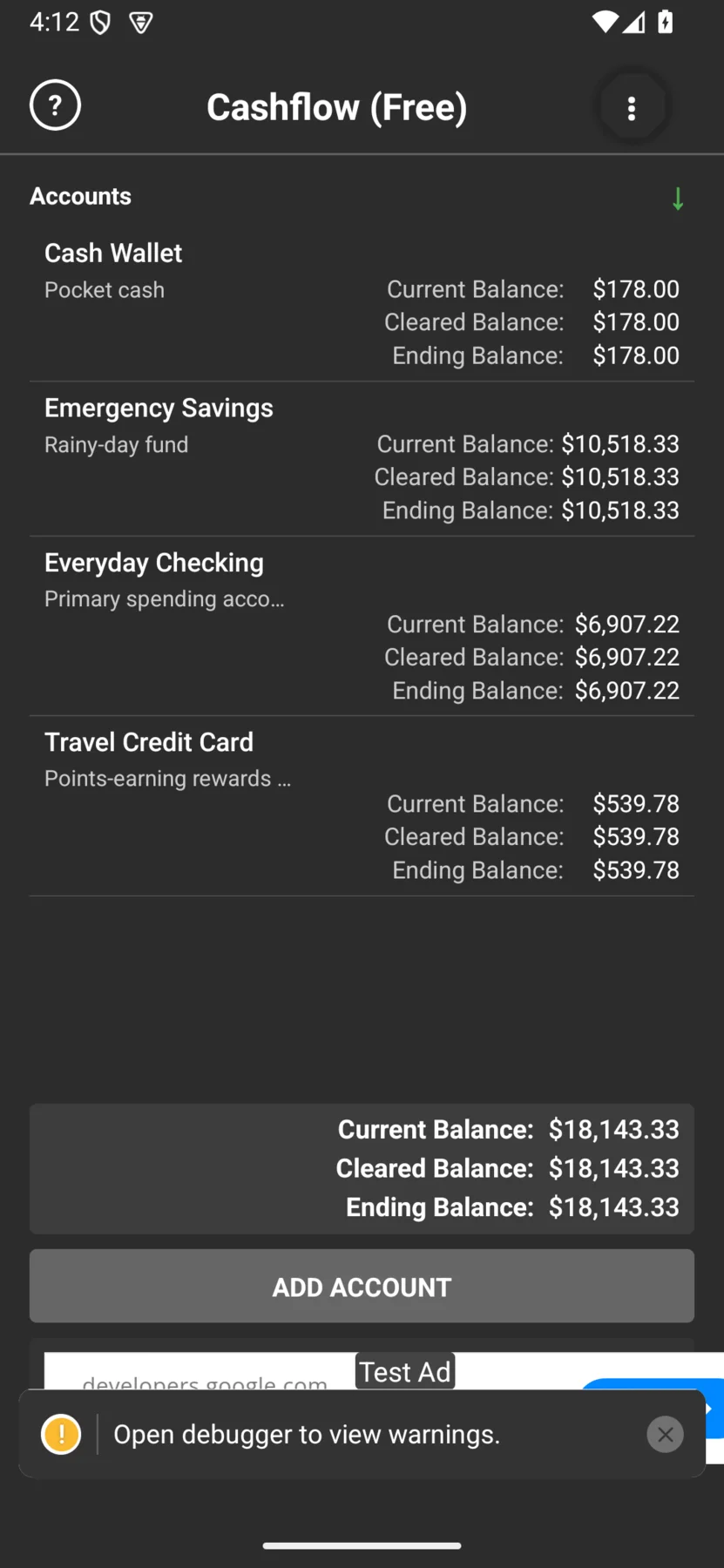
Track checking, savings, credit cards, and cash side by side. Cash Wallet $178.00, Emergency Savings $10,518.33, Everyday Checking $6,907.22, Travel Credit Card $539.78 — rolled up to $18,143.33 without leaving the register behind.
Scheduled transactions
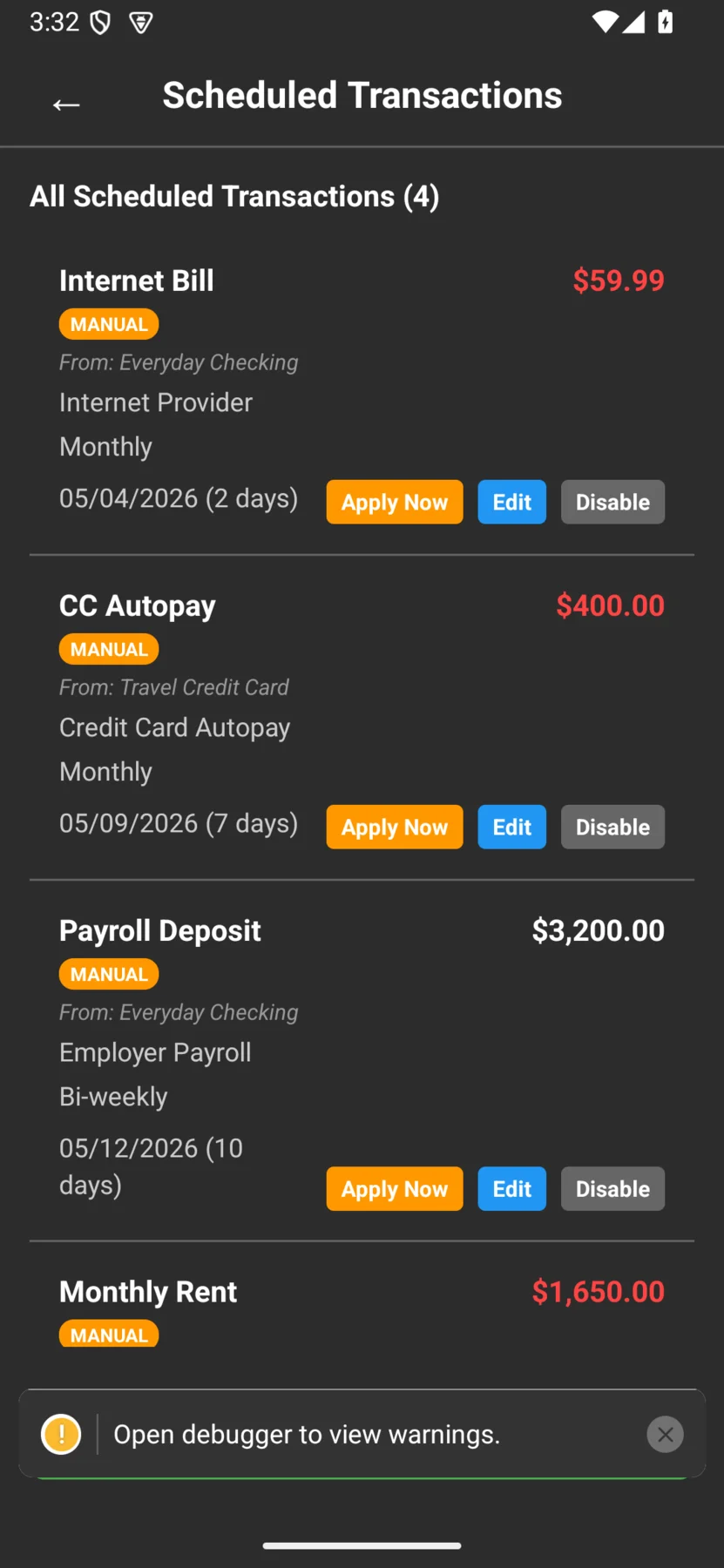
Set up rent, the electric bill, the streaming subscription you keep meaning to cancel. Cashflow keeps the series running and posts each occurrence into the register on its date.
Backup & restore
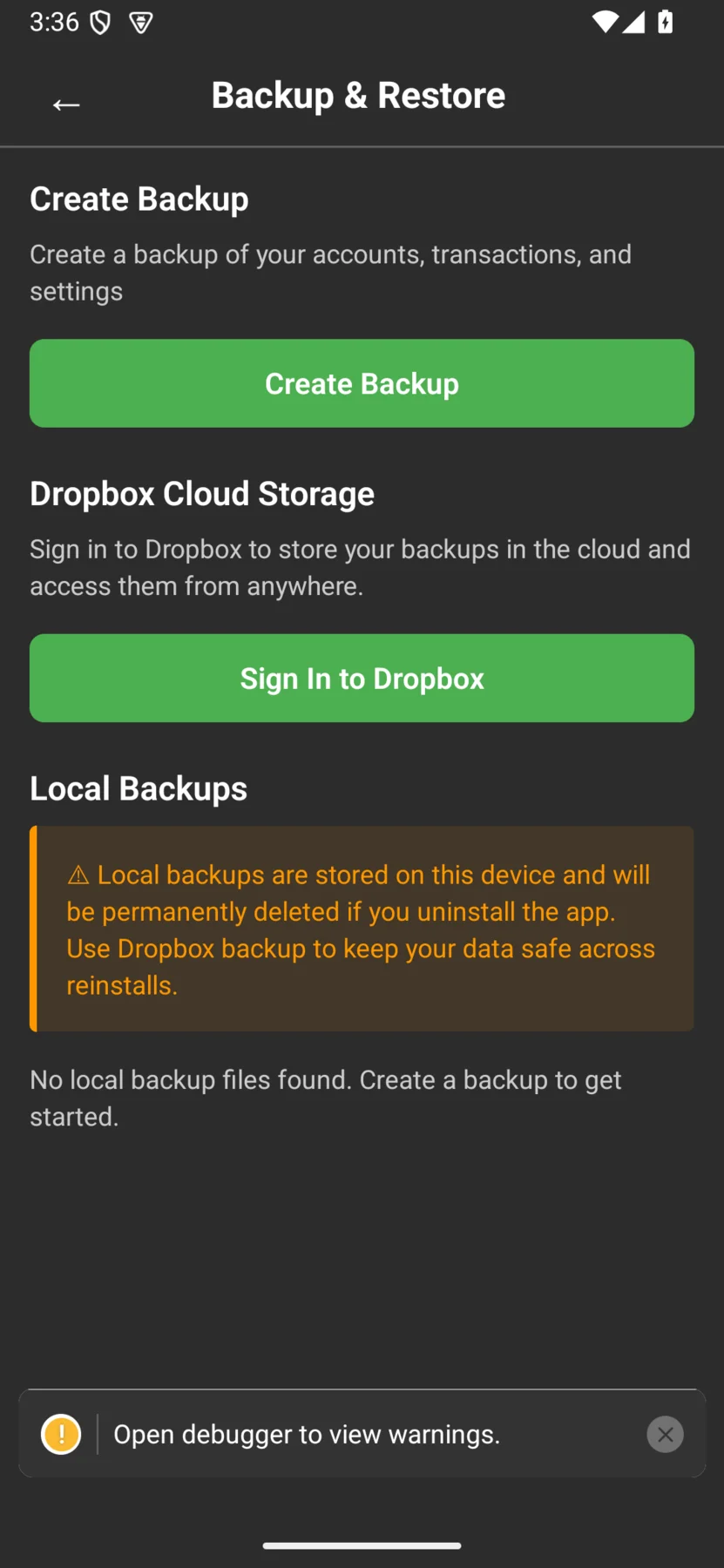
Export a full backup to your device, or turn on Cloud Backup — an end-to-end-encrypted copy unlocked by a backup password only you know.
Only you hold the key — if you lose your backup password, we can't recover it for you.
Your backup is encrypted on your device with your password before upload. We never hold the key and there is no live cross-device sign-in — restore means bringing your backup and, on a new device, your backup password to the app.
And the rest
The quiet conveniences that make Cashflow feel built for everyday use.
Add the Android widget to see your account balances at a glance. Tap it and you land directly in your register. Choose which account and balance types appear in settings.
The transaction list scrolls fast and search finds what you remember — payees, amounts, notes — so a transaction from months ago is seconds away.
Your ledger lives on your device. Cashflow works offline, opens instantly, and never depends on a server to track your money. No bank linking, ever.
Editions
Same core check register in both. The Paid edition removes ads and supports continued development — not gating the fundamentals.
| Feature | Free | Paid |
|---|---|---|
| Multiple accounts & one ledger | ||
| Three balance types (current, cleared, ending) | ||
| Scheduled transactions | ||
| Backup & restore (incl. end-to-end-encrypted Cloud Backup) | ||
| Home screen widget | ||
| Ad-free experience | ad-supported | |
| Supports continued development | via ads |
Ready when you are
Free on Android today — iOS coming soon.